

.svg)
.svg)
Don't Let Your WordPress Website Become a Frankenstein

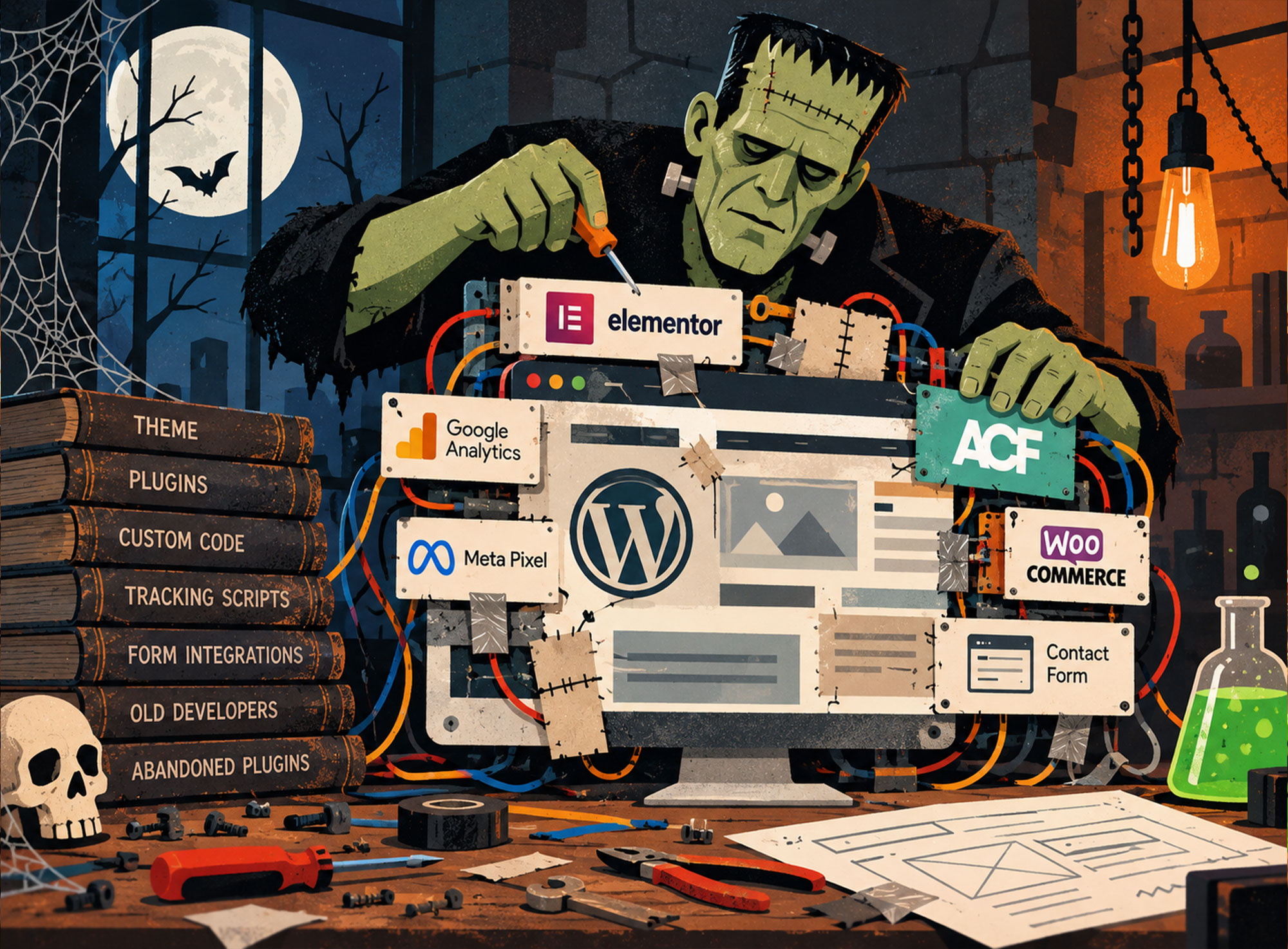
It's Halloween season, and around this time every year, I like to decorate the front of my house with orange lights, plastic gravestones, hokey inflatables, and hanging bats. We live in a busy neighborhood and get hundreds of trick-or-treaters, so I like to do my part.
In the spirit of October, I figured I'd bring a little Halloween fun to the blog as well.
And what better subject than Frankenstein?
I've been building websites for more than 15 years, and one of the things I regularly do is inherit WordPress websites built and maintained by other developers and agencies.
Sometimes they're beautifully organized. Other times, well, they're monsters.
Not necessarily on the outside. In fact, some look perfectly fine. But once you start poking around behind the scenes, you discover a collection of mismatched parts, forgotten plugins, mysterious code, and questionable decisions stitched together over years.
Sound familiar?
WordPress: A Blessing and a Curse
According to W3Techs, WordPress powers approximately 40% of all websites on the internet. That's an impressive number, and there's a good reason for it.
WordPress is incredibly flexible.
Want a simple five-page business website? No problem. An online store? Sure. A custom application with sophisticated integrations? You can do that too.
There are thousands of themes, plugins, page builders, and development tools available. Almost anything you can imagine is possible.
But that flexibility is also WordPress's greatest weakness.
There are often five different ways to accomplish the same thing, and every developer has their preferred approach.
When a website changes hands a few times, those approaches begin to pile up. Before long, you've got a digital Frankenstein on your hands.
Here are five things I commonly encounter when inheriting WordPress websites.
1. Tracking Pixels Gone Wild
Let's start with something seemingly innocent: website analytics.
Most businesses use Google Analytics, Meta Pixel, Google Ads, or other tracking tools to understand website traffic and measure marketing performance.
Nothing unusual there.
The fun begins when you try to figure out where those tracking scripts actually live.
Maybe Google Analytics was hardcoded into the theme by the original developer. Then a marketing agency installed a dedicated analytics plugin. A few years later, someone added Google Tag Manager through a header and footer plugin.
Meanwhile, Meta Pixel has its own plugin, and there's another mystery script sitting inside the theme settings.
Now you've got tracking code scattered across five different locations, and as far as anyone knows, everything is working just fine.
But dig a little deeper and you'll discover that some tracking scripts are connected to old analytics accounts, others are managed through plugins that haven't been updated in years, and nobody is entirely sure who installed what.
Need to update a tracking script? Good luck figuring out which plugin, theme file, or code snippet controls it.
And those outdated plugins aren't just an organizational headache. They can introduce unnecessary security risks.
The irony is that these tools were installed to help the business make better marketing decisions. But without proper oversight, even a perfectly functioning analytics setup can become a tangled mess that's difficult to maintain.
2. Too Many Cooks in the WordPress Kitchen
This might be my favorite because you can practically trace the history of a website by examining how its pages were built.
The original developer created a custom WordPress theme using Advanced Custom Fields (ACF).
A few years later, a new agency took over and preferred Elementor, so they started building pages with that.
Then someone on the internal marketing team began creating blog posts using Gutenberg, WordPress's block editor.
And somewhere, buried deep in the website, you'll inevitably find a page still using the Classic Editor.
Four different approaches to building and editing content. One website.
It gets even more interesting when you start looking at the custom code.
There's CSS in the theme, more CSS in the WordPress Customizer, additional CSS inside Elementor, and a Code Snippets plugin with a collection of PHP and JavaScript that nobody remembers adding.
Sometimes you'll find several different rules trying to style the exact same button.
And here's the funny part: the website might actually work!
But when the client asks for a simple change, you first have to figure out which system controls that particular piece of the website.
It's like an archaeological dig. Every layer tells a story about a previous developer.
To be clear, there's nothing inherently wrong with Elementor, ACF, Gutenberg, or custom code. I use several of these tools regularly.
The problem is introducing new approaches without considering what's already in place.
3. A Plugin for Everything (Even Smiley Faces)
One of the greatest things about WordPress is its enormous plugin ecosystem.
Need a contact form? There's a plugin.
Want to improve SEO? There's a plugin.
Need to add a smiley-face icon?
You guessed it. There's a plugin.
I once inherited a website that had several different Elementor add-on packages installed. If you're unfamiliar, these are collections of additional widgets and features designed to extend Elementor's functionality.
And they have some wonderfully similar names: HappyAddons, Essential Addons, The Plus Addons. Apparently, there's no shortage of ways to make Elementor even more... elemental?
After investigating what was actually being used, I discovered that some of these massive add-on packages were responsible for just one tiny feature.
In one case, it was essentially a handful of smiley-face icons.
Seriously.
An entire plugin, with all its accompanying files and code, just to display a few icons.
Now, I'm not suggesting every plugin is bad. Far from it. Plugins are one of the reasons WordPress is so powerful.
But every additional plugin introduces another dependency to maintain, update, and potentially troubleshoot.
Multiply that by 30 or 40 plugins, and things can get complicated quickly.
Sometimes a few lines of code or an existing feature can accomplish the same task without introducing yet another moving part.
4. The Plugin Graveyard
Here's another common scenario.
A developer needs to migrate a website from one hosting provider to another. They install a migration plugin, complete the transfer, and move on.
The plugin stays.
A marketing team needs to import a spreadsheet of content. They install an import/export plugin, finish the job, and forget about it.
That plugin stays too.
An agency uses ManageWP or MainWP to maintain all its client websites. Eventually, the client moves to another agency, but the management plugin remains installed.
Years later, I inherit the website.
Now I'm looking at a collection of plugins with no obvious purpose, wondering which ones are still being used.
And that's the real problem.
I can't simply start deleting things without understanding their purpose. Some may be unnecessary, while others could be quietly supporting important functionality.
So the investigation begins.
The more developers and agencies a website passes through, the more layers of uncertainty accumulate.
And those layers can create genuine security risks.
Outdated plugins, forgotten integrations, and unused management tools can introduce vulnerabilities or leave behind access that should have been removed long ago.
A plugin that served a legitimate purpose three years ago doesn't necessarily belong on your website today.
Sometimes it's time to let the dead rest.
5. The Contact Form That Went to the Grave
Ever submit a form on a website and never receive a response?
Me too.
Sometimes it's because someone forgot to follow up. Other times, the business never received your message in the first place.
This is one of the more troubling issues I encounter because it can directly affect a company's bottom line.
A contact form might be configured to send notifications to an employee who left the company two years ago.
Or the form was originally connected to a CRM, but that integration stopped working after a plugin update.
Maybe the website relies on WordPress's default email functionality without a properly configured email delivery service, and notifications are quietly landing in spam folders or disappearing altogether.
Sometimes a plugin conflict breaks the form itself.
And occasionally, everything works exactly as intended, but there's simply no process for following up with submissions.
The visitor sees a friendly "Thank you! We'll be in touch soon" message.
Meanwhile, nobody is coming.
What amazes me is how something so essential to a business can remain broken for weeks, months, or sometimes even longer without anyone noticing. Think about how many potential customers may have reached out during that time, only to be met with silence. How many missed opportunities does that add up to?
Unlike an obvious design problem, these issues can go unnoticed because everything appears to be working.
The website looks great. The buttons work. The forms appear to submit.
But potential customers are falling through the cracks.
That's a pretty scary thought.
So, How Do You Keep the Monster Under Control?
If there's one thing I've learned from inheriting WordPress websites over the years, it's that most of these problems don't happen overnight.
They're the result of dozens of small decisions made by different people over time.
And most of those decisions probably made sense at the time.
The SEO agency needed a tracking script. The developer needed a new widget. The marketing team needed a landing page. Someone needed to migrate the website.
Each person solved the problem in front of them.
But nobody was looking at the bigger picture.
My advice is simple: Have one person or web team responsible for the overall health and architecture of your website.
That doesn't mean your SEO agency, marketing team, or other specialists can't contribute. They absolutely should.
But someone needs to understand how everything fits together.
Someone who knows which plugins are essential, where tracking scripts belong, how pages should be built, and what happens when something needs to change.
Someone who can say, "We already have a tool for that," before another plugin gets installed.
WordPress is an incredibly powerful platform, and I continue to recommend it for many of the websites I build.
But like any powerful tool, it benefits from a little discipline and consistent care.
Because the scariest WordPress websites aren't necessarily the ones that look like monsters.
They're the ones that look perfectly normal until you open the hood.
Happy Halloween, and don't let your website become a Frankenstein.
More Web Stuff You May Actually Enjoy
No fluff, no buzzwords — just useful reads from real experience.